Revid vs HeyGen: AI Video Generator Honest Review
Revid vs Heygen, which is the better AI video generator tool?
If you need extremely realistic AI avatars with natural micro-expressions, high-quality voice cloning, and multilingual lip-sync translation, go with HeyGen. On the other hand, if you want to efficiently and affordably mass-produce faceless short videos with automated scheduling, Revid.ai is much more practical.
Hi everyone, I’m Clara. Today, I’ll share my real-world experience using both Revid and HeyGen, and help you decide which one is right for you.
By Clara Dupont , Edited & Published By Toolvs Team
Basic Parameters: Revid vs HeyGen
Before diving into the details, I have compiled a comprehensive comparison table of their core features for your reference.
| Dimension & Parameter | HeyGen | Revid.ai |
|---|---|---|
| Starting Monthly Price | Creator Plan: $29/mo (Billed annually at $24/mo) | Hobby Plan: $39/mo |
| Annual Billing Discount | ~18% discount | ~18% discount |
| Base Monthly Credits | Creator Plan offers 600 credits | Hobby Plan offers 2,000 credits |
| Premium Avatar Credit Consumption | Avatar IV consumes ~20 credits per minute | Standard: 40 credits per 500 words; Ultra: 200 credits |
| Core Video Generation Model | Exclusive Avatar IV & V lip-sync models | Integrates Google Veo 3, OpenAI Sora 2, etc. |
| Max Export Resolution | Base: 1080p; Pro and above support 4K | Base: 1080p; supports 4K (costs 10 credits) |
| Max Video Duration | 30 mins (Business plan supports up to 60 mins) | No strict limit; determined by available credits |
| AI Avatar Quality | Industry-leading, ultra-realistic with natural micro-expressions | Relatively mediocre quality with slightly robotic movements |
| Custom Avatar Feature | Supports 1 custom avatar (Business includes 5) | Train exclusive characters via “Train Character” (200 credits) |
| Voice Cloning & Dubbing | Supports Voice Cloning in 175+ languages & dialects | Integrates ElevenLabs, supporting 70+ languages |
| Multilingual Lip-Sync Translation | Supported with highly realistic alignment (5 credits/min) | Supported, but the face occasionally drifts during scene transitions |
| AI Script/Video Assistant | Built-in Video Agent for script generation | Built-in full Script & Hook Generator |
| Viral Video Template Library | Limited variety, geared toward business & presentations | 20+ ready-to-use viral social media templates |
| One-Click Social Media Distribution | Not supported; requires manual download & upload | Supports one-click link to YouTube, TikTok, and Instagram |
| Automated Account Scheduling | Lacking; no automated posting and scheduling | Powerful Auto-Mode; Growth plan supports 3 hosted workers |
| Developer API Access | API packages start at $99/mo; Business offers collaboration | Supports full REST API, MCP server, and npm CLI access |
| Refund for Rendering Errors | Occasionally refunded; usually requires appealing to support | Credits may still be deducted on failure; slow support |
| Free Version Limitations | 3 one-minute videos per month, 720p with watermarks | 70 trial credits to explore backend; export is locked |
| Value-Added Fees | Extra seats at $20/mo; custom avatar slots at $29/mo | Pro/Ultra images & sounds consume credits at higher rates |
Revid.ai vs HeyGen: A Deep Core Showdown
Revid vs HeyGen: Workflow Efficiency and Automation
In terms of workflow efficiency and automation, Revid.ai is the clear winner.
For our marketing team, which requires high-frequency social media updates, Revid’s audio-to-video AI feature is an absolute lifesaver. I only need to drag a 30-second product audio clip into the browser, and the tool automatically transcribes it within 90 seconds. It then generates perfectly timed captions and matches them with original images and background videos.
Additionally, its built-in Auto-Mode allows us to link our company’s official YouTube and TikTok accounts with a single click. Once the schedule is set in the backend, the AI bot automatically publishes the video as soon as it is generated, saving me the trouble of downloading and manually re-uploading.
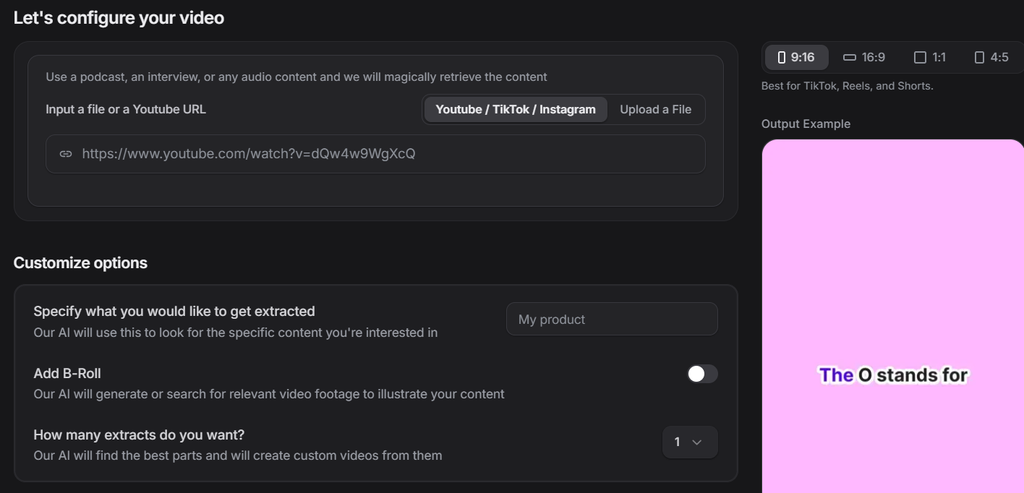
In contrast, HeyGen is a video production system geared toward highly refined outputs, which demands significant manual fine-tuning. Because it lacks automated distribution, I have to spend hours aligning scripts on the timeline and repeatedly adjusting the avatar’s gestures.
Previously, whenever we wanted to create an on-camera product demo, our team had to record audio and video from scratch. Due to frequent retakes, it would take a day or two just to squeeze out a single 2-minute clip.
While introducing HeyGen and setting up an AI avatar did liberate our real speakers, the complex post-production tweaks mean I can still only produce a maximum of two high-quality videos per day on my own.
Revid vs HeyGen: Avatar Realism and Video Quality
When it comes to overall video texture and avatar realism, HeyGen is exceptionally outstanding.
HeyGen’s core moat lies in its latest fourth-generation avatar model (Avatar IV). The cloned virtual avatar is incredibly realistic, down to subtle blinks, shoulder movements while breathing, and natural head nods.
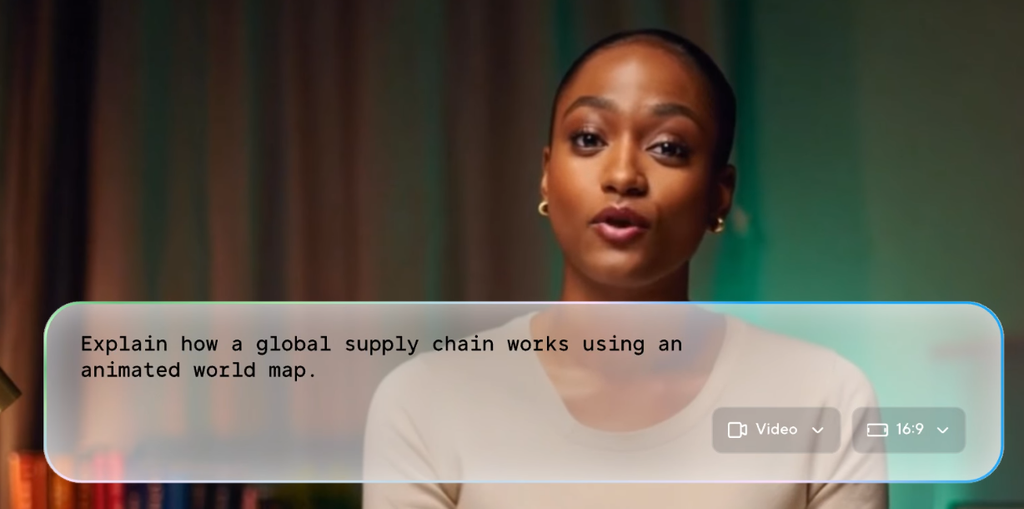
Coupled with its leading lip-sync and multilingual translation technology, I can easily convert a Chinese speech into flawless British English. Both the generated voice and lip-syncing look remarkably natural, making it perfect for representing our company’s official brand.
On the other hand, while Revid.ai has also introduced avatar features, its generation quality is barely passable. Its AI avatars generally have stiff expressions, and their voices carry a distinct electronic, synthesized tone.
The biggest dealbreaker is that if a video contains multiple edited shots, the avatar’s face can drift or distort during scene transitions. I believe this visual quality is completely unsuitable for professional business presentations that represent our brand’s public face.
| Core Feature Comparison | HeyGen | Revid.ai |
|---|---|---|
| Avatar Realism | Avatar IV delivers extremely realistic micro-expressions & gestures | Stiff and mechanical expressions, easily spotted by audiences |
| Lip-Sync & Translation | Industry-leading; lip resetting has almost no artificial trace | Barely acceptable; mouth movements frequently mismatch in details |
| Templates & Batch Editing | Relatively limited; templates lean towards corporate-style slides | Extremely rich; comes with 20+ viral social media templates |
| Auto-Posting & Scheduling | Lacking; you must manually download and distribute after rendering | Built-in Auto-Mode; enables one-click hosting to top platforms |
The Real Drawbacks of HeyGen vs Revid
HeyGen’s Real Limitations
The first major pitfall of HeyGen is its extremely high credit consumption.
Although its Creator plan provides 600 credits per month, its high-precision Avatar IV consumes about 20 Premium credits per minute of video. This means you can only export up to 10 minutes of high-quality footage monthly, and correcting a single word in the script can easily drain your entire quota upon re-rendering.
Another issue involves sluggish customer support and stealthy terms-of-service changes. Sometimes, when trying to contact support for account issues or refund requests, you might wait weeks without getting any substantial reply.
Revid.ai’s Real Limitations
The issues with Revid.ai mainly center around the instability of its AI-generated visuals.
Very often, rendering fails due to system lag or image-generation glitches, yet the system still deducts your credits as usual. Many creators have complained about this, as they frequently have to re-render four or five times just to get a usable shot.
Additionally, unless you spend extra money to upgrade to the Pro image-generation model, the basic model’s visuals often miss the mark, feeling cheap and artificial. Its free trial also comes with a catch, allowing you to edit freely on the timeline, but forcing a paid subscription when you actually want to download watermark-free videos.
| Pain Point Comparison | HeyGen | Revid.ai |
|---|---|---|
| Billing & Credit Rules | Frequently updates terms; high consumption for premium avatars | Still deducts credits on failed renders; free version locks downloads |
| Support Speed | Customer support is slow to respond, taking weeks for appeals | Relies heavily on Discord; lacks immediate 1-on-1 support |
| Visual Baseline Quality | Complex gestures can easily misalign; struggles with intricate actions | Basic model easily generates junk frames; stock matches are poor |
FAQs in Revid vs HeyGen
Q1: Is HeyGen worth the money in 2026?
HeyGen is absolutely worth the price, provided that you have an ample budget and a clear need for high-precision avatar appearances. If you are a marketing director for a global brand and need to frequently output explainer videos or presentation slides featuring your founder, HeyGen will save you massive studio costs.
However, if you only need basic short-video compilation or simple text-to-video conversion, please avoid it. Its premium subscription fees and heavy credit drain will quickly become unbearable.
Q2: Does Revid.ai support automatic posting to YouTube Shorts?
Yes, fully automated posting and scheduling is the killer feature that helps Revid.ai beat most of its competitors. You only need to link and authorize your YouTube, TikTok, and Instagram accounts in the Revid.ai backend with a single click.
After batch-producing short clips in the backend using the “audio-to-video AI” tool, the built-in Auto-Mode bot will fully automate the publishing of these vertical videos according to your scheduled dates and times.
Q3: How many credits does a HeyGen Avatar IV video consume?
Under the latest pricing structure, high-precision Avatar IV videos consume roughly 20 Premium credits per minute. If you subscribe to the $29/month Creator plan (which includes 200 Premium credits), you can only export up to 10 minutes of high-quality avatar footage per month.
Therefore, for heavy-duty team users who need to mass-produce on-camera videos, the platform has abolished the Team plan, forcing an upgrade to the Business plan starting at $149/month.
Q4: Is there a truly free AI YouTube Shorts generator with no watermark?
Unfortunately, there is currently almost no AI short-video generator on the market that is both highly functional, completely free, and exports without watermark. Every tool in the industry now adopts a paid paywall strategy.
For instance, while platforms like AITuber provide 100 free trial credits, it is only enough for basic initial testing. Vidnoz AI generously offers free daily generation limits, but the exported videos are locked at 720p resolution and come with a very prominent watermark forced right in the center of the frame.
To prevent your short videos from being flagged as low-quality spam by search engines and social media algorithms, I highly recommend subscribing to a paid tier from the start. This allows you to feed the algorithms clean, watermark-free, 1080p high-definition footage.
The Final Verdict: When to Choose Revid vs HeyGen
Choose Revid if:
You wish to build a short-video matrix at an incredibly low cost of time and money, leveraging timed captions, audio-to-video conversion, and auto-distribution to quickly establish a faceless YouTube channel.
Choose HeyGen if:
You need to establish a highly trusted personal brand for an international business, record premium online courses, or showcase flawless, ultra-realistic AI avatar product demonstrations to high-value clients.
Still exploring? Check out our other related comparisons below:



[…] Revid vs HeyGen: AI Video Generator Honest Review […]
[…] Revid vs HeyGen: AI Video Generator Honest Review […]