HeyGen vs InVideo Review: Which AI Video Platform Best Suits You?
HeyGen vs InVideo, Which one is the better video generation tool?
In my opinion, If you have a limited budget and need to quickly compile a large volume of social media short videos from scripts, choose InVideo. However, if your primary requirement is an extremely realistic AI avatar to substitute for you on camera, HeyGen is highly recommended.
Hi, I’m Clara. Today, I will share my hands-on experience using both HeyGen and InVideo, including key pain points and selection advice.
InVideo vs HeyGen: Basic Comparison
| Dimension | HeyGen | InVideo AI |
| Core Positioning | Ultra-realistic AI avatars and multi-language lip-sync translation | Fully automated text-to-video and smart conversational editing |
| Latest 2026 Pricing | Creator Plan: $29/month (billed annually at $24/mo); Pro Plan: from $99/month | Plus Plan: $25/month (billed annually at $20/mo); Max Plan: from $48/month |
| Free Plan Limits | 3 videos per month, 720p export, forced watermark | 2 minutes of AI credits per week, 4 exports with watermarks |
| Media Library | Basic B-roll, supports third-party Sora and Veo integration | Over 18 million Premium iStock & Shutterstock library resources |
| Editing Experience | Drag-and-drop scene editor, similar to Canva | Supports natural language conversational editing to modify videos directly |
| Best For | Export brands, multi-language course creators, talking-head creators | YouTube faceless channels, high-frequency advertisers, high-volume operators |
| Supported Models | Supports proprietary base rendering engines only, with many restrictions on external models | Deep integration with video foundations like Kling 3.0, Sora 2, and Veo 3.1 |
HeyGen vs InVideo Hands-On Review
Workflow Comparison: Is InVideo Faster Than HeyGen?
InVideo offers higher efficiency in its overall workflow.
I often face the headache of searching for media assets when making videos.When using InVideo, I only need to type a simple prompt in the input box. For example, I can enter: “make an engaging 3-minute short video for clothing promotion.”
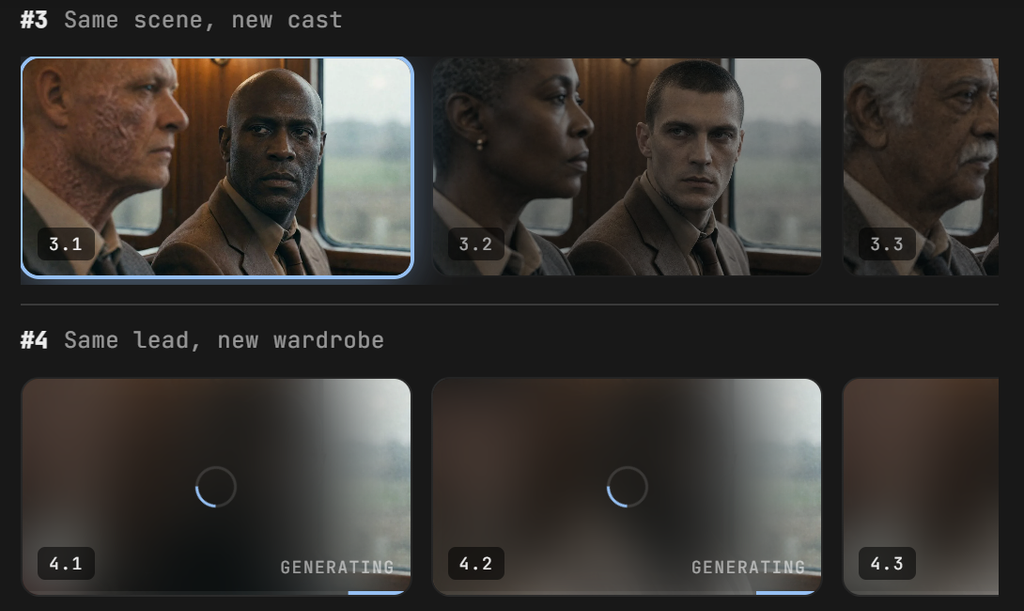
In about two to three minutes, it automatically writes the script and pulls matching iStock assets. It also generates a voiceover, lays down background music, and adds subtitles.
This entire process requires almost no manual operation from me. Moreover, the finished video is highly complete.
In contrast, HeyGen’s core logic is more like a precise avatar script renderer. In HeyGen, I must manually build scenes in the AI Studio and arrange layers just like making a presentation slide.
If you do not have a pre-written script ready, you will find its workflow very inefficient.
In our actual test, I entered the exact same prompt into both tools. The prompt was: “create a 2-minute explainer video on how to grow YouTube subscribers.”
InVideo took just over four minutes to generate the first version of the video. It automatically matched 11 relevant assets with a fast-paced edit.
On the other hand, manually importing the same script into HeyGen and selecting the Avatar IV engine took nearly six minutes. This total time included waiting in the rendering queue and generation.
Although I had to manually assemble the background in HeyGen, the results were impressive. The resulting avatar’s lip-syncing and eye contact were exceptionally exquisite.
HeyGen vs InVideo: Which Platform Has More Realistic AI Avatars?
HeyGen’s Avatar IV holds a clear advantage in AI avatar realism and lip-sync alignment. When I uploaded my own footage into both tools for cloning comparisons, the difference in quality was stark.
The digital clone generated by HeyGen moved naturally. Its eyes blinked normally, its shoulders swayed slightly with the cadence of speech, and its face showed subtle micro-expressions.
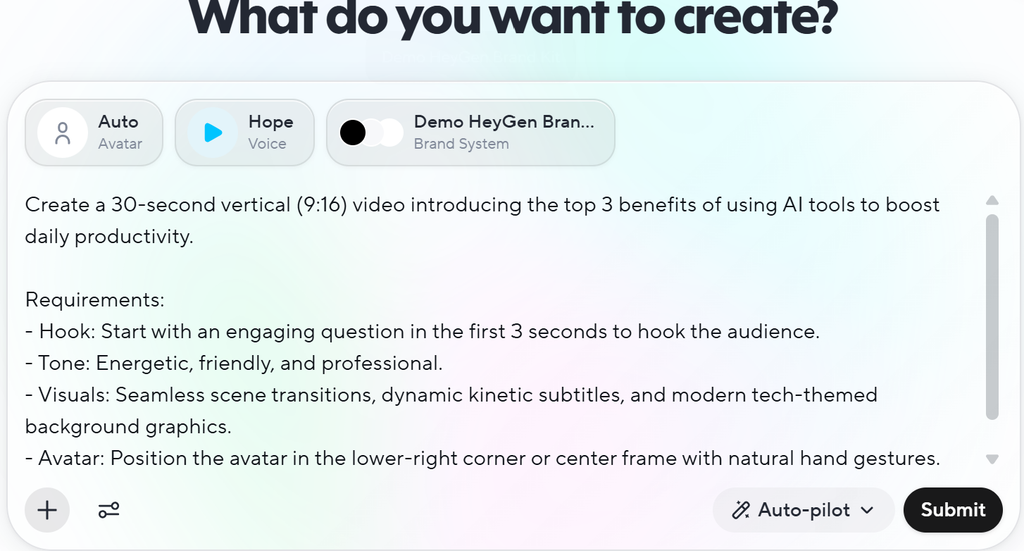
I sent a test video to our team chat, and my colleagues did not notice it was AI-generated at first glance. I also tested its generation speed with the Avatar IV engine.
Generating a 30-second video took about 95 seconds in standard mode. However, this could be cut down to 35 seconds by turning on the Avatar Turbo switch.
Conversely, InVideo’s avatars are currently only suitable for medium or wide shots. Once the camera zooms in, the lip movements clearly desynchronize from the audio, creating a distinct “plastic” feel.
If you are producing premium brand talking-head videos that require building trust, this is a major issue. This lip-sync mismatch can easily ruin the viewer’s immersion.
Pricing & Hidden Costs: InVideo vs HeyGen
In terms of cost-effectiveness and usage expenses, InVideo offers significantly higher value. Subscribing individually to top-tier video models like Sora 2 or Google VEO 3.1 currently costs hundreds of dollars a month.
However, InVideo AI packages these models directly into its subscription plans. With the Plus plan starting at $25/month (billed annually at $20/mo), it represents an incredibly good deal.
On the other hand, while HeyGen advertises “unlimited standard video generation,” this is restricted to its older base models. If you want to use its best-performing Avatar IV or perform multi-language lip-sync translation, you must consume Premium Credits.
Under the $29 Creator plan, you only get 200 credits per month. Generating just one minute of Avatar IV video consumes nearly 20 credits.
This breaks down to only about 10 minutes of high-quality, realistic video production per month. For content creators who need to update their channels frequently, these credits will run out very quickly.
| Dimension | HeyGen | InVideo AI |
|---|---|---|
| Workflow Efficiency | Relatively slow. Similar to making a PPT; requires manual scene assembly and asset matching, with no auto-matching feature. | Extremely fast. Generates scripts from a single prompt and finishes editing with iStock assets in 3 minutes. |
| Avatar Performance | Extremely realistic. Exquisite micro-expressions, seamless lip-sync; represents the industry gold standard. | Stiff. Mismatched lip-sync on close-ups, artificial movements; suitable only for wide shots. |
| Hidden Costs | Expensive and frustrating. Few credits with high unit costs; credits are deducted even if rendering freezes or fails. | Extremely cost-effective. The Plus plan directly bundles Sora 2 and Kling 3.0 models. |
HeyGen vs InVideo: Limitations and Drawbacks
Major Limitations of HeyGen
While generating multi-language talking-head videos, I encountered a bug where the avatar’s accent suddenly mutated. Halfway through a video, the standard American accent would suddenly switch to English with a bizarre local accent.
When I contacted customer service, their only response was to tell me to “delete the video and resubmit for rendering.” However, doing this meant my precious credits would be deducted once again.
Major Limitations of InVideo
Although InVideo helps me produce videos quickly, its most common issue is ignoring precise editing instructions. Even when I explicitly specified certain clips in the prompt, it would still improvise.
I once encountered a case where a sub-one-minute video repeated the exact same iStock asset five times. Its built-in AI script writer can also be quite formulaic.
The scripts often open with clichéd template phrases like “Are you tired of X?”. Without manual editing and rewriting, the resulting video can feel very stiff.
Core Pain Points: HeyGen vs InVideo
| Dimension | HeyGen | InVideo AI |
|---|---|---|
| Key Pain Points | Video rendering often freezes at 97%, and accents may suddenly mutate mid-video. | Frequently ignores editing instructions, and repeats the same iStock assets. |
InVideo vs HeyGen: Frequently Asked Questions (FAQ)
Q1: HeyGen vs InVideo: Which Platform is Better for YouTube Faceless Channels?
If you run a YouTube faceless channel, I highly recommend choosing InVideo. Its automated text-to-video workflow and massive library of 18 million iStock assets allow you to churn out explainer videos in no time.
In contrast, HeyGen’s high credit costs will make your production expenses soar. This makes it far too expensive for making these kinds of videos.
Q2: InVideo vs HeyGen: Are the Integrated AI Video Models Actually Good?
The integrated top-tier video models deliver excellent output quality, but they consume credits extremely fast. For instance, generating standard video inside InVideo costs about 0.73 credits per second.
If you invoke advanced models like Kling or Sora, it costs more than 1 credit per second. This means a seemingly generous monthly allowance can disappear rapidly when creating high-quality generated shots.
HeyGen vs InVideo: Selection Advice
When Should You Choose HeyGen? (Best Use Cases)
If you need to produce ultra-high-fidelity talking-head videos, customer service, or training courses and have a flexible budget, buy HeyGen. Its Avatar IV technology currently remains the absolute leader in the market.
When Should You Choose InVideo? (Best Use Cases)
If you are a solo creator running social media, managing a YouTube faceless channel, or frequently split-testing video ads, InVideo is the better choice. It will help you mass-produce video content with far less effort.
Still exploring? Check out our other related comparisons below:
Revid vs HeyGen: AI Video Generator Honest Review
HeyGen vs Arcads: Review After Months of Use 2026